
Keep the Same Room and Lighting Across AI Shots
Treat the location the way you treat the character: approve one reference of the space, fix the light direction, and stop re-describing the room in every prompt. A scene reads as one place when the geography and the light agree across shots, not when the walls happen to be the same colour.
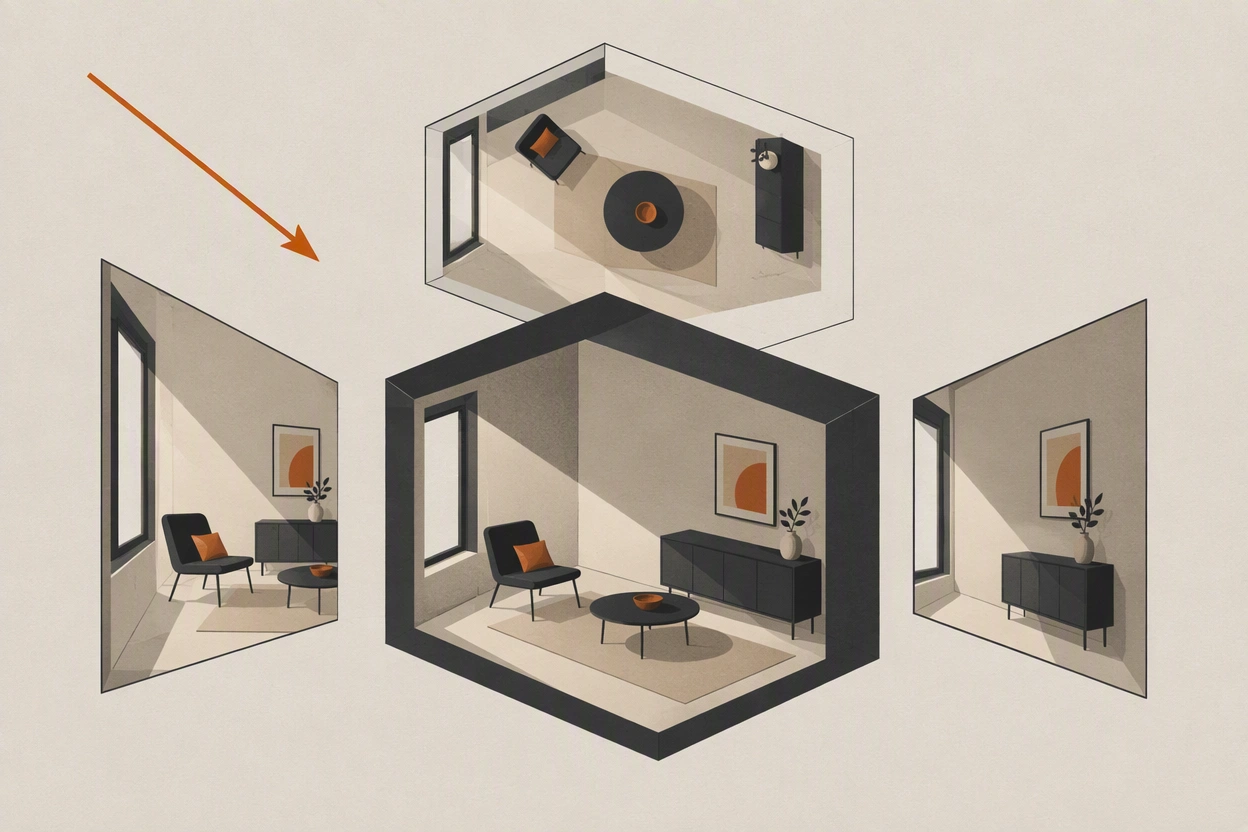
Everyone fixes the face first, and then wonders why the scene still feels wrong. The character is identical in all six shots and the sequence still does not read as one room.
It is because the window moved. The light switched sides between the master and the reverse, the door changed width, and a lamp appeared on a table that was empty ten seconds earlier. Audiences do not itemise these things, they just stop believing the space.
What actually breaks first in a location?
Light direction, then geography, then props. Wall colour and furniture style are the things people try to control with prompts, and they are the things that matter least to whether a cut works.
| Element | How noticeable | How hard to hold |
|---|---|---|
| Light direction | Extremely. A viewer feels it before they see it | Easy, if you state it once and never vary it |
| Screen direction and geography | High. It breaks the cut outright | Easy, if you decide it in the master |
| Time of day and colour temperature | High across a sequence | Moderate. Drifts with any lighting language in the prompt |
| Architecture, doors, windows | Moderate. Noticed on the second look | Moderate. Needs a location reference |
| Furniture layout | Low to moderate | Moderate |
| Small props | Low individually, fatal cumulatively | Hard. Assume they will move |
The ordering matters because it tells you where to spend attempts. A shot with a slightly different chair will cut fine. A shot where the light comes from the other side will not, no matter how good it is on its own.
How do you build a location reference?
Generate the empty space once, from the angle your master will use, and approve it as its own state. Then stop describing the room and start describing where the camera is standing in it.
- 1
Generate the space empty first
No characters. You are approving architecture, light, and layout, and a person in frame will pull attention away from all three.
- 2
Fix the light in the reference, not in the prompt
Decide the direction, quality, and colour once. Late window light from camera left, or overhead practicals, or whatever the scene needs. Then never restate it differently.
- 3
Note the anchors you will need to match
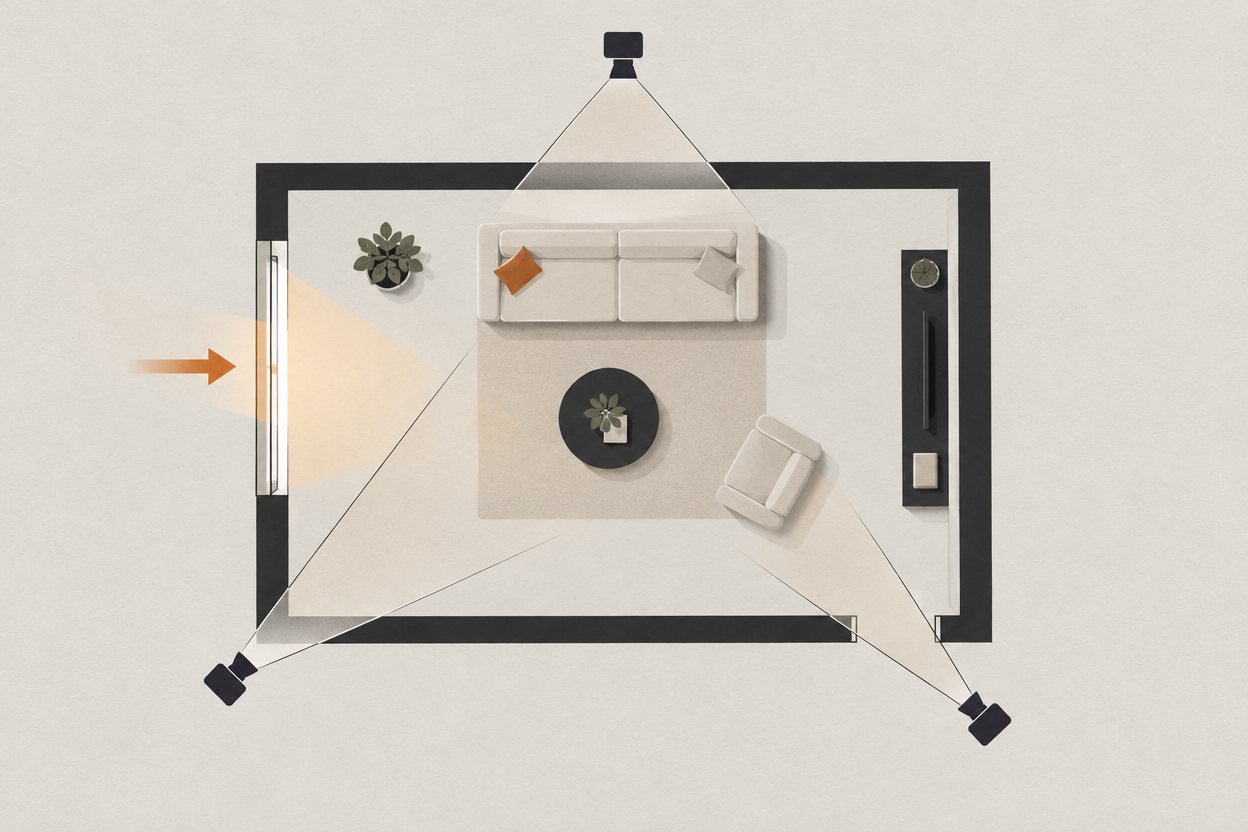
Write down three fixed features: what is behind camera left, what is behind camera right, and where the light comes from. These are what the reverses have to obey.
- 4
Approve it as a state and name it
The same discipline as a wardrobe state. A named location you can point at is easier to hold than a paragraph you retype.
- 5
Remove room description from your shot prompts
The prompt now says where the camera is and what the subject does. The room is already in the reference.
a warm sunlit kitchen with white cabinets, a wooden table, plants on the windowsill, terracotta floor tiles, golden hour light streaming through a large window, cosy and inviting
reverse angle from the far side of the table, camera slightly low, window out of frame to the left, medium shot, 35mm
Why is light direction the thing that matters most?
Because it tells the audience where they are standing. Two shots lit from opposite sides read as two different places even when every other element matches, and no amount of grading in post will fix a flipped key light.
In a real production this is handled by not moving the lights between setups. In generated video there are no lights to leave alone, so it has to be stated and then protected.
- Name the side once. Key from camera left, for the whole scene. Write it at the top of your shot list.
- Keep the quality constant. Hard light in one shot and soft in the next reads as a different time of day.
- Watch the reverses. A reverse angle should have the light coming from the opposite side of frame, which is the correct result and looks wrong if you are checking frames rather than cuts.
- Do not say golden hour in one prompt and afternoon in another. They are the same intention and different colour temperatures.
- Treat a lighting change as a new location state, not as a prompt tweak.
What about props and set dressing?
Assume they will move. Props are below the scale most models resolve reliably, so design the scene so that nothing the story depends on is a small object that has to stay put.
- Anything small drifts. Cups, phones, papers, and cutlery relocate between generations.
- Anything written is invented. Labels, signage, and screens re-approximate every time.
- Anything held is worse. A prop in a hand combines two unreliable things.
- Symmetry helps. A room with a strong repeating structure survives re-generation better than a cluttered one.
- Empty is easiest. The fewer objects in frame, the fewer things can disagree between shots.
If the plot turns on an object, get it into a dedicated insert shot where it fills the frame and is generated once. That is also how it would be covered in a live-action edit, so it reads as deliberate rather than as a workaround.
The blocking half of this problem, deciding screen direction and shooting coverage that cuts, is covered in making a two-character AI dialogue scene.
Frequently asked questions
How do you keep the same location across AI video shots?
Approve one reference of the empty space, fix the light direction, and stop describing the room in your shot prompts. The prompt should place the camera in a location that already exists rather than rebuilding it each time.
Why does the lighting change between my AI shots?
Usually because the lighting is described in each prompt rather than carried by a reference, and small wording differences produce different directions and colour temperatures. Name the key light side once and protect it across the whole scene.
Why do props move between AI generated shots?
Small objects sit below the scale most models resolve consistently, so they relocate or change between generations. Design scenes so nothing important depends on a small prop staying put, and cover any object that matters in its own insert shot.
Should I generate all shots in a scene at once?
Yes where you can. Returning to a location days later, with different prompt phrasing, is one of the most reliable ways to end up with a room that no longer matches the earlier shots.
Does character consistency help with location consistency?
Not directly. They are separate problems with separate references. A locked character in an unstable room still produces a sequence that does not read as one place.
Hold the world, not just the face
Design characters once and reuse them across every model and every shot, then build the scene around them.
Consistent character AI